Game guide · SBBEN
How to play Killer Sudoku
Try Killer Sudoku at your own pace and keep its objective in view. Fill rows, columns and boxes with 1–9 once. Cage digits cannot repeat and must add to their clue. Check the relevant rule before repeating a move. Begin with the solo mode shown on the page. Choose a clear next step rather than rushing through the instructions.
This collection contains 8 puzzles. Progress is saved in this browser. The same puzzle can appear again; the collection is not labelled with calibrated difficulty levels.
Build familiarity through play
Before your first action, say what you are trying to achieve. Then compare the result with the goal. Refer to the controls when needed.
Your objective
Fill rows, columns and boxes with 1–9 once. Cage digits cannot repeat and must add to their clue. Use the instructions to see which actions move you towards it. Follow this game’s rules rather than another version’s.
A walkthrough of the rules
- Select an editable cell.
- Enter a value using the keypad or keyboard; Notes stores candidates.
- Read the region, cage, arrow or outside clues alongside the normal constraints.
- Check entries verifies the completed board; Undo reverses your last input.
- New puzzle selects another included puzzle.
How your actions work
Click or tap cells and the digit pad. Use Notes, Undo and Reveal selected. Large boards scroll inside the game. Use the control method described here for this activity. Look at the feedback after the action.
A closer look at one example
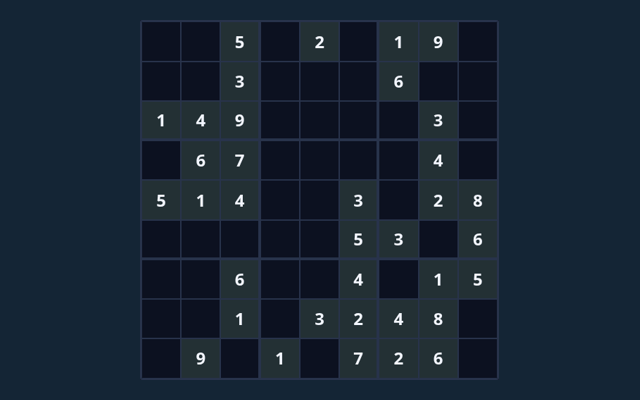
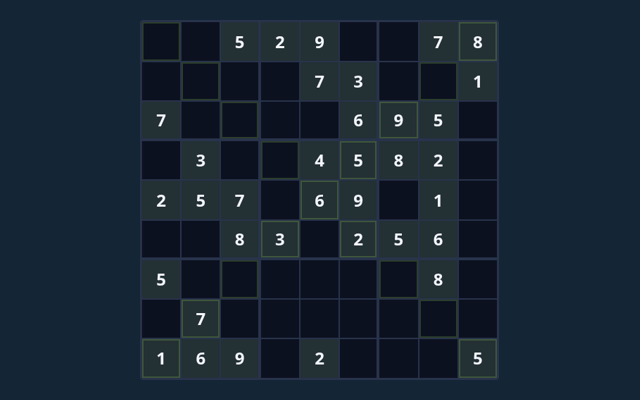
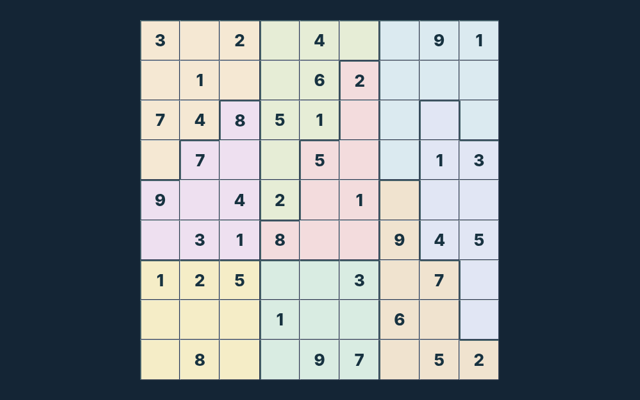
A two-cell cage labelled 3 holds 1 and 2; a one-cell cage fixes its own value. Your next round may have a different position, so inspect it before acting. Notice the change in the playing area.
One detail worth checking
A full board must obey every extra rule. Reveal supplies assistance; it is not an earned deduction. Read the feedback to see why an action did not have the expected result. Compare the worked example with your own position. Use the reasoning, not an answer copied from a different board.
If you are unsure
While reading the Guide, what is the goal of Killer Sudoku?
Keep this in mind: Fill rows, columns and boxes with 1–9 once. Cage digits cannot repeat and must add to their clue.
For a quick reminder, how do I control Killer Sudoku?
Click or tap cells and the digit pad. Use Notes, Undo and Reveal selected. Large boards scroll inside the game.
When I return, what example helps explain Killer Sudoku?
Here is the relevant explanation: A two-cell cage labelled 3 holds 1 and 2; a one-cell cage fixes its own value.
For my first round, what should I watch out for in Killer Sudoku?
For clarity: A full board must obey every extra rule. Reveal supplies assistance; it is not an earned deduction.
As a new player, what format does Killer Sudoku offer?
For clarity: This collection contains 8 puzzles. Progress is saved in this browser. The same puzzle can appear again; the collection is not labelled with calibrated difficulty levels.
Before I begin, which play mode does Killer Sudoku use?
Here is the relevant explanation: The mode on this page is Solo. Same-device play uses one screen; this game library does not provide internet matchmaking.
While learning, where should I start with Killer Sudoku?
Keep this in mind: Select an editable cell.
On this playing page, do I need an account or a payment for Killer Sudoku?
Keep this in mind: No player account or payment is needed. Game scores are recreational results, not cash prizes.
On this playing page, how can I find Killer Sudoku again?
For clarity: Use the Games list or save this game page in your browser bookmarks. The Guide is linked from the playing page.
Before I begin, how do I report an issue with Killer Sudoku?
Here is the relevant explanation: Use the contact form and include the game name, browser, device and the actions that led to the issue. Do not send passwords or payment details.